Media Player
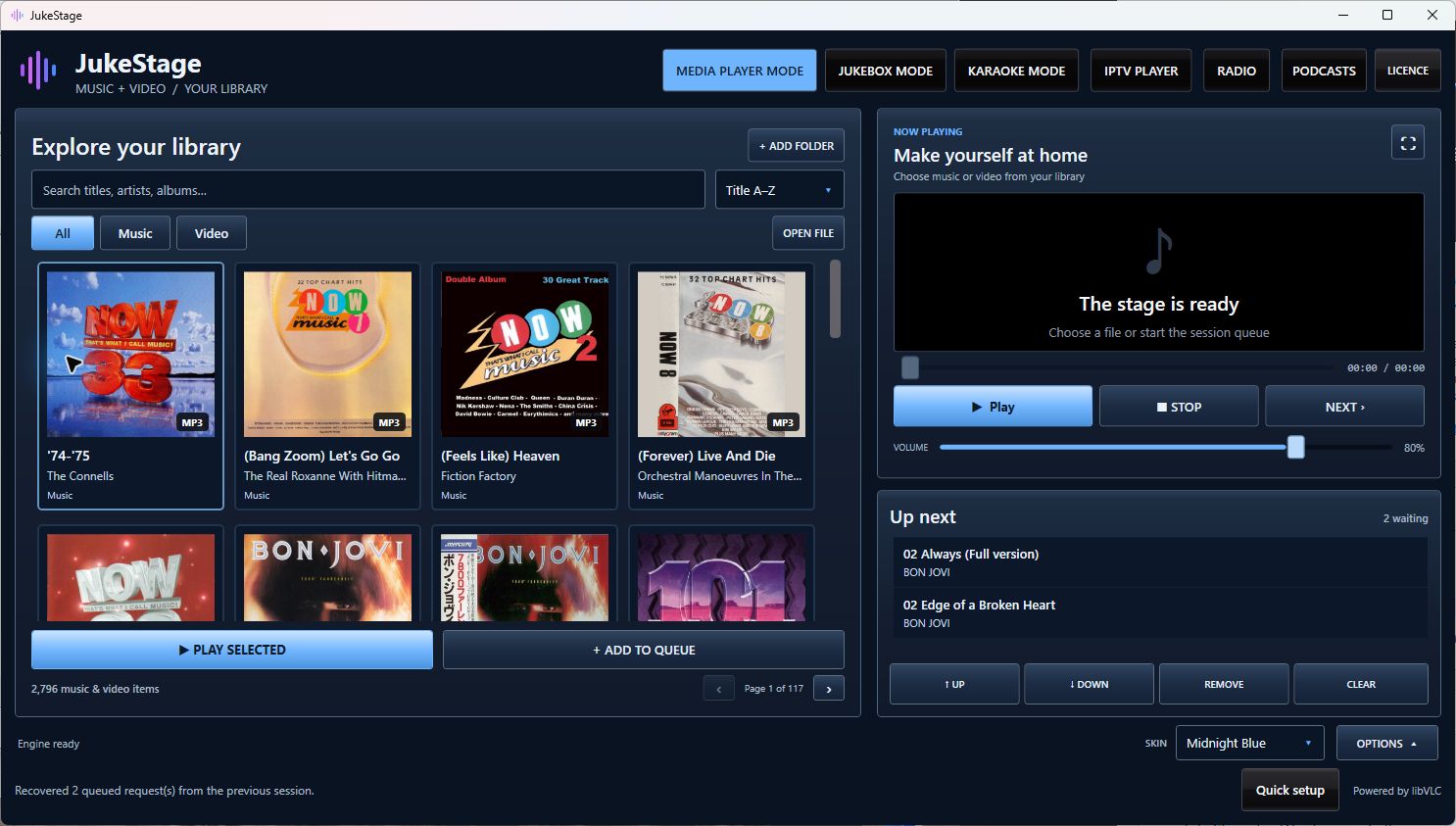
Your music and video collection, beautifully organised. Browse thumbnails, search your library and enjoy fullscreen video.
Your media. Your way.
Music. Movies. Karaoke. IPTV. Radio. Podcasts. Bring it all together in a beautifully designed media centre. Available for Windows and now as an Android tablet release candidate.
One-off licence for one Windows OR Android device. Choose your download.
New in version 1.2.0: Radio and Podcasts. Your media, plus independent stations and publisher feeds.
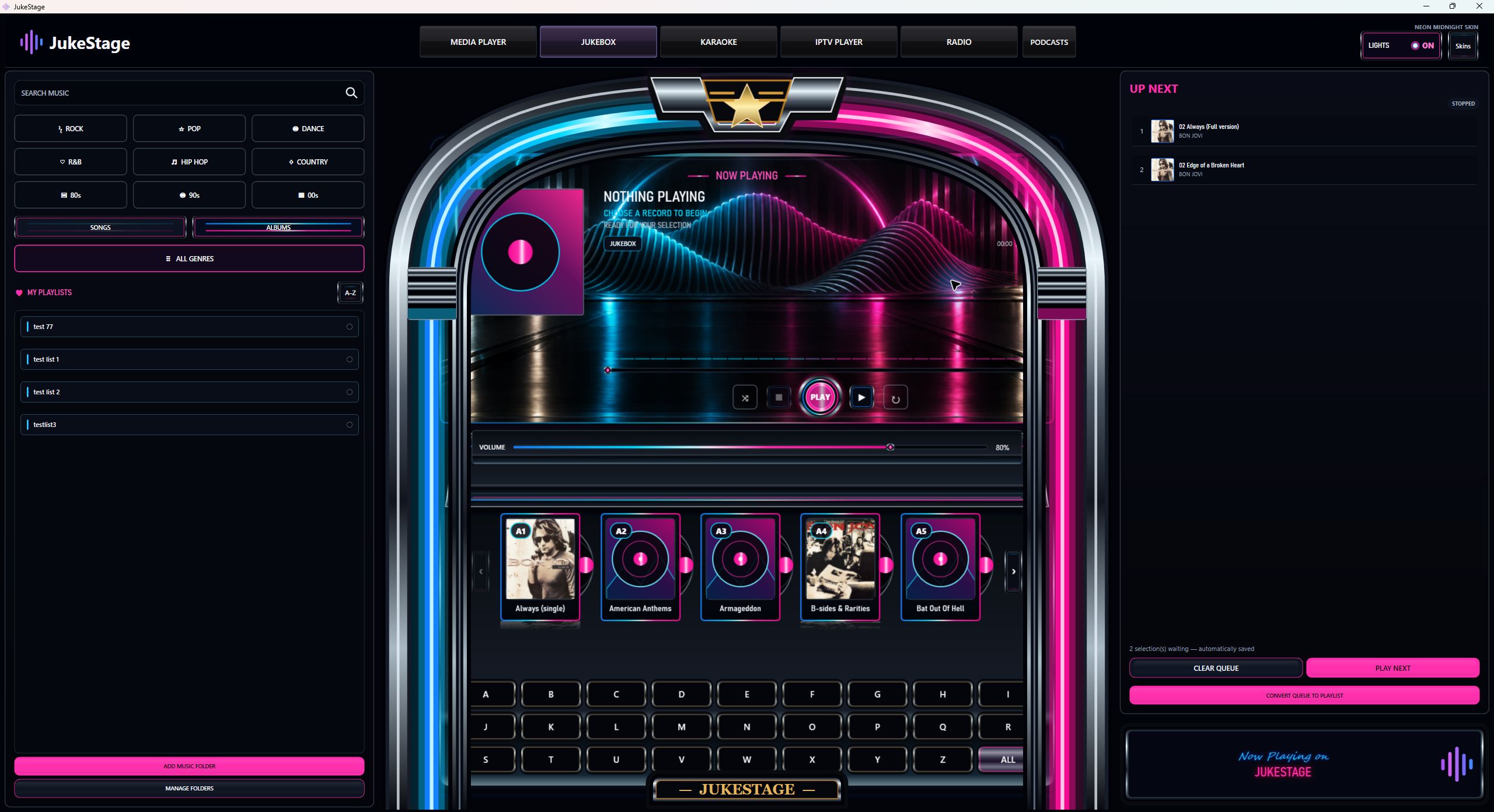
Your music. A little more atmosphere. Actual Windows application.
Media Player, Jukebox, Karaoke, IPTV, Radio and Podcasts, with touch-friendly browsing and five colour themes. Try the Android release candidate on your own tablet before buying. Android 8.0 or later; tested on Samsung Galaxy Tab S6.
The screenshots and detailed desktop features below show the Windows edition. Android layouts and available device features differ; Windows microphone mixing and external-display workflows are not advertised for Android.
Six ways to enjoy your media
Set the mood, settle in for a film, take the microphone, connect your own TV service, tune into radio or catch up with a podcast. Switch between six dedicated experiences without switching applications.
Your music and video collection, beautifully organised. Browse thumbnails, search your library and enjoy fullscreen video.
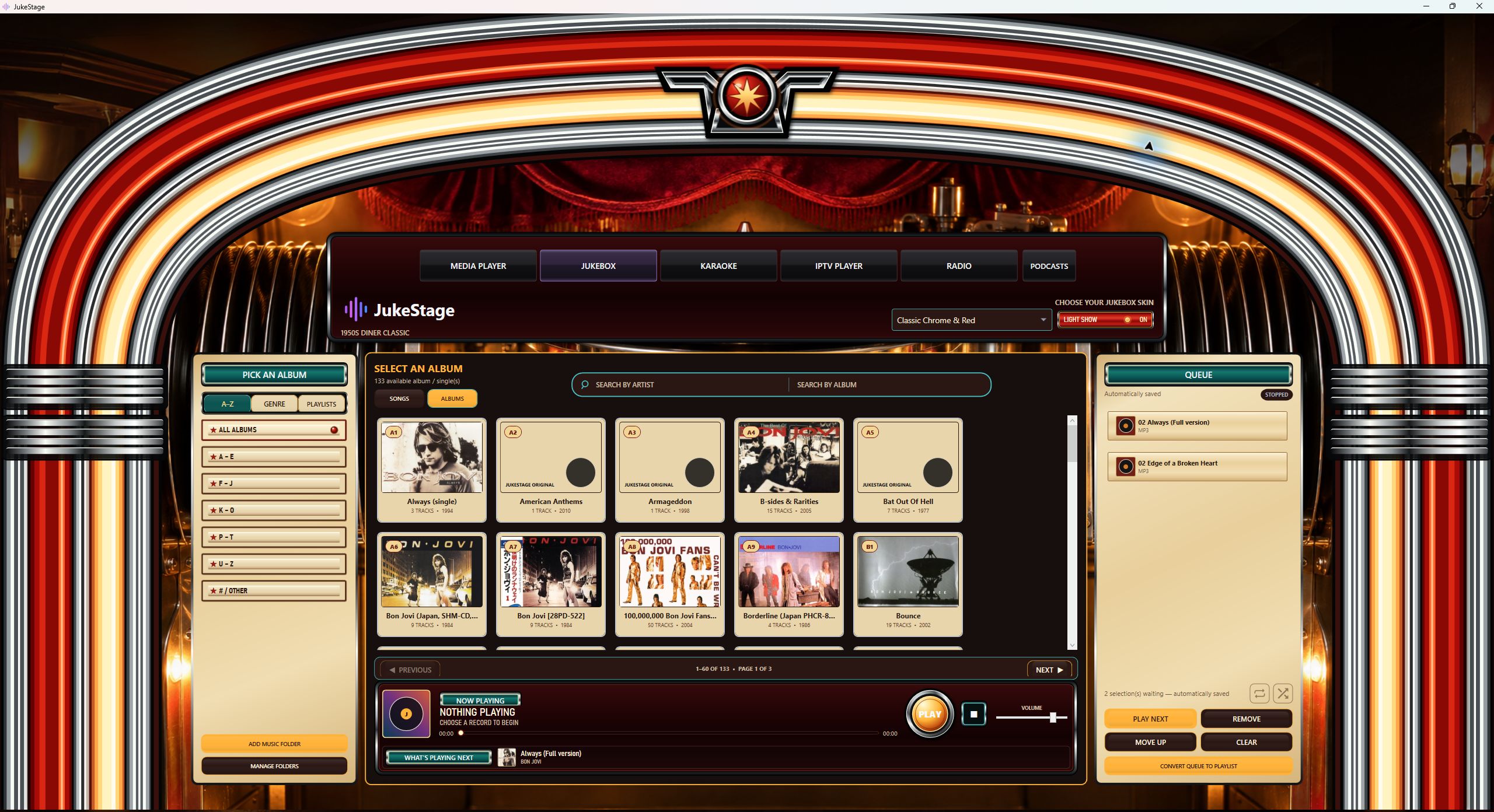
Turn your collection into the heart of the room. Three distinctive skins, album artwork, playlists and music-reactive lighting.
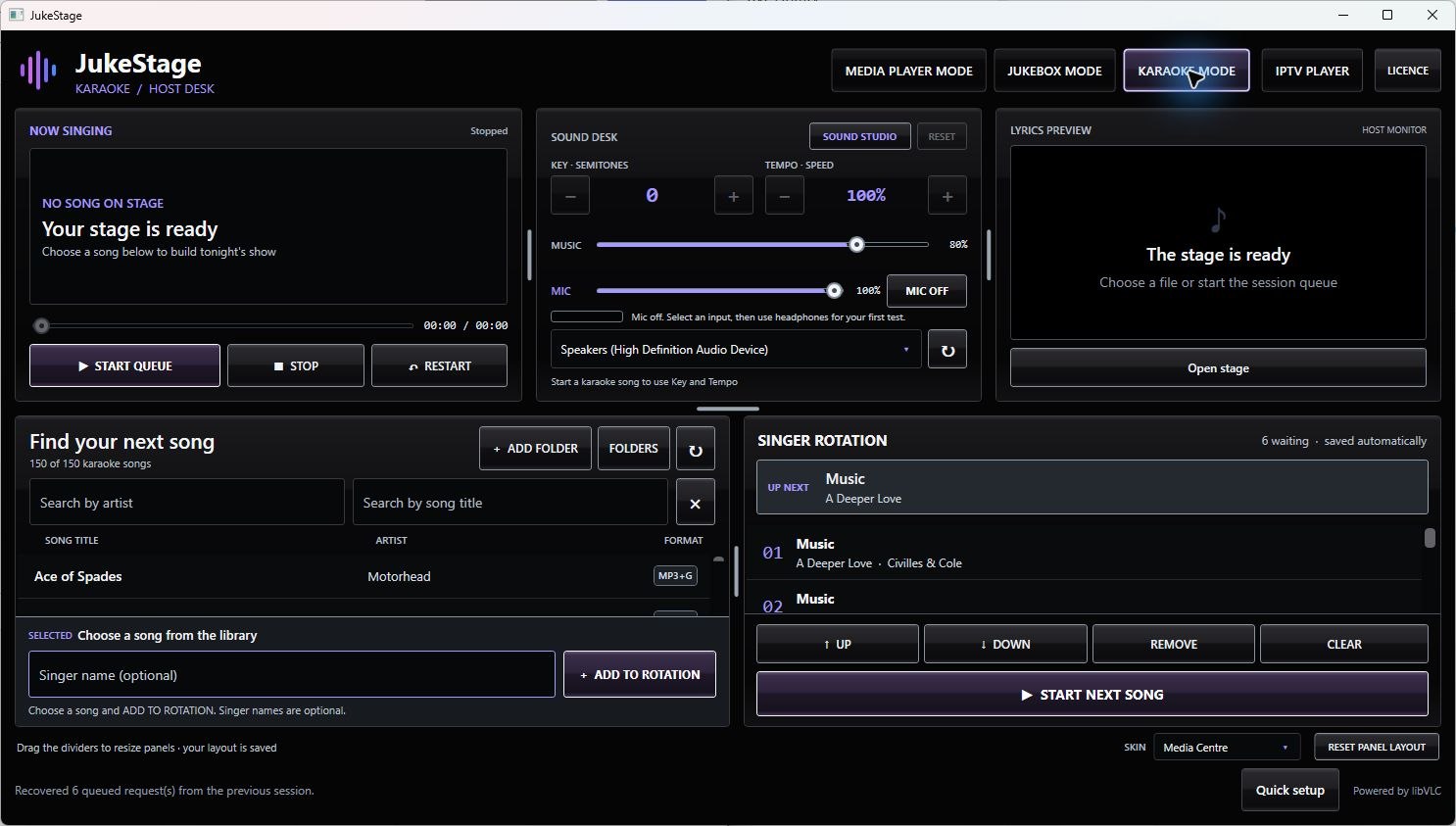
Your songs. Your singers. Your stage. Manage the rotation, adjust the backing track and send lyrics to a second display.
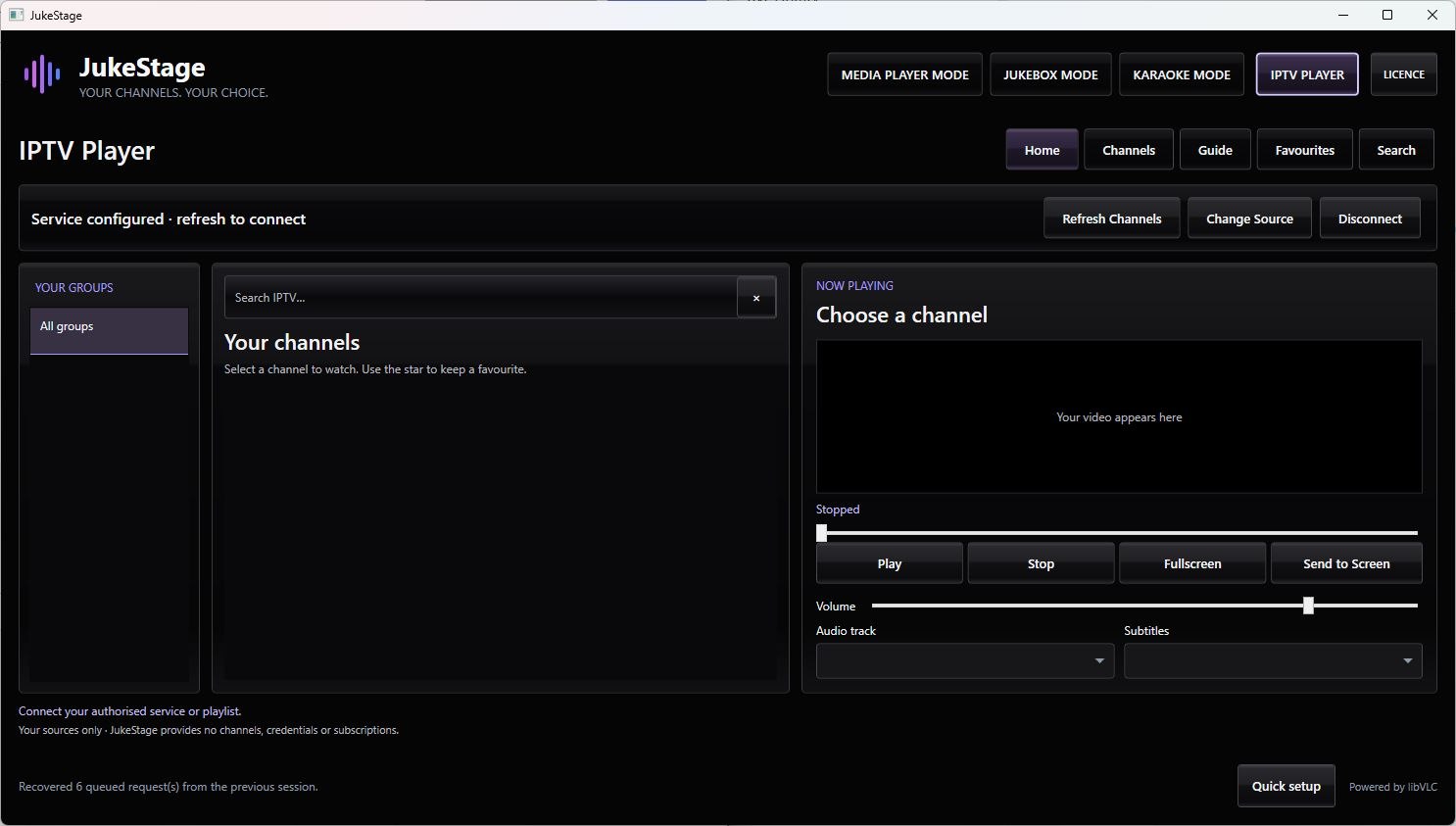
Connect an authorised provider or playlist. Browse Live TV, Movies and Series, with favourites and flexible display options.
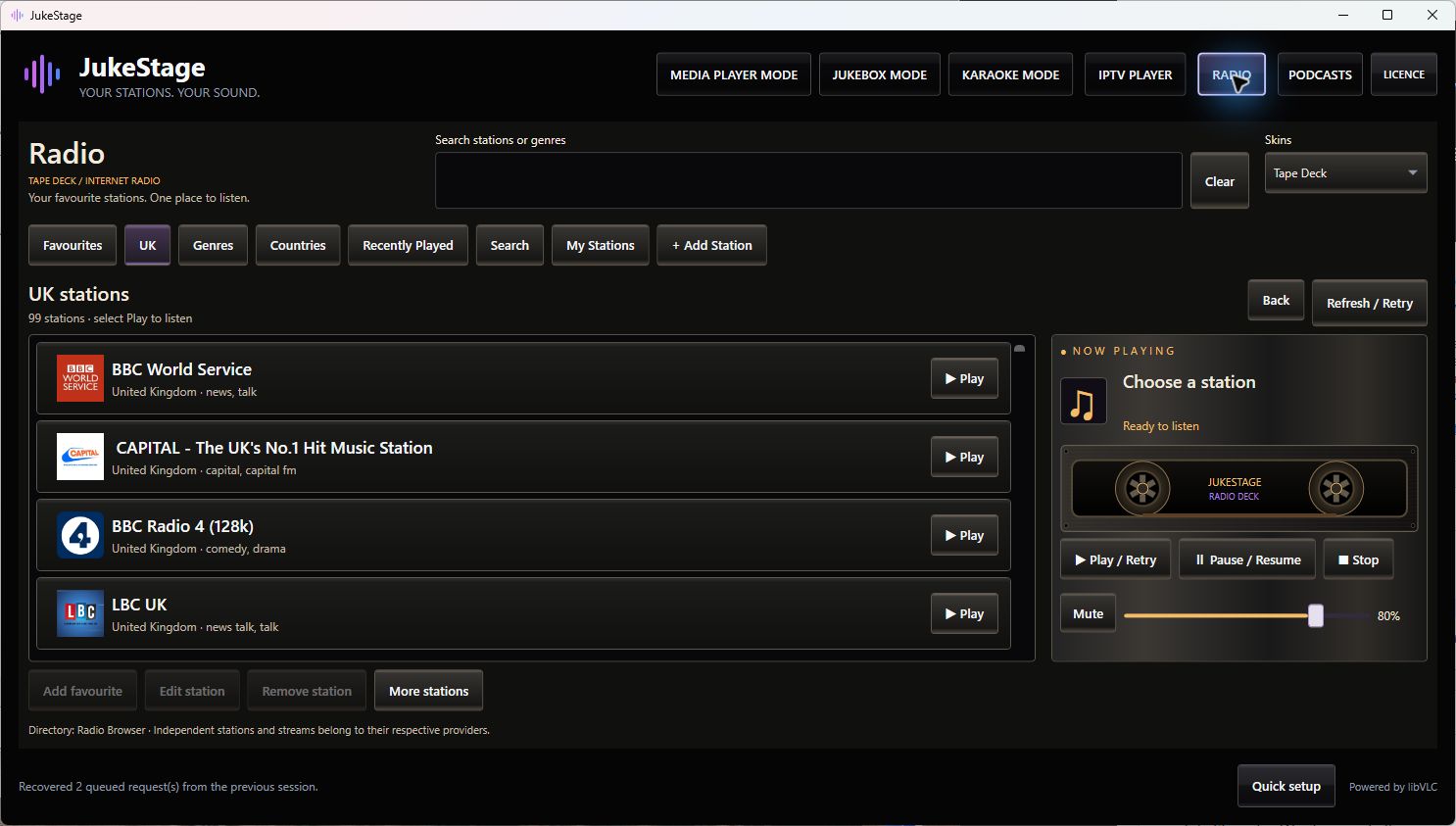
Find internet stations by name, genre or country. Save favourites and choose from three distinctive radio skins.
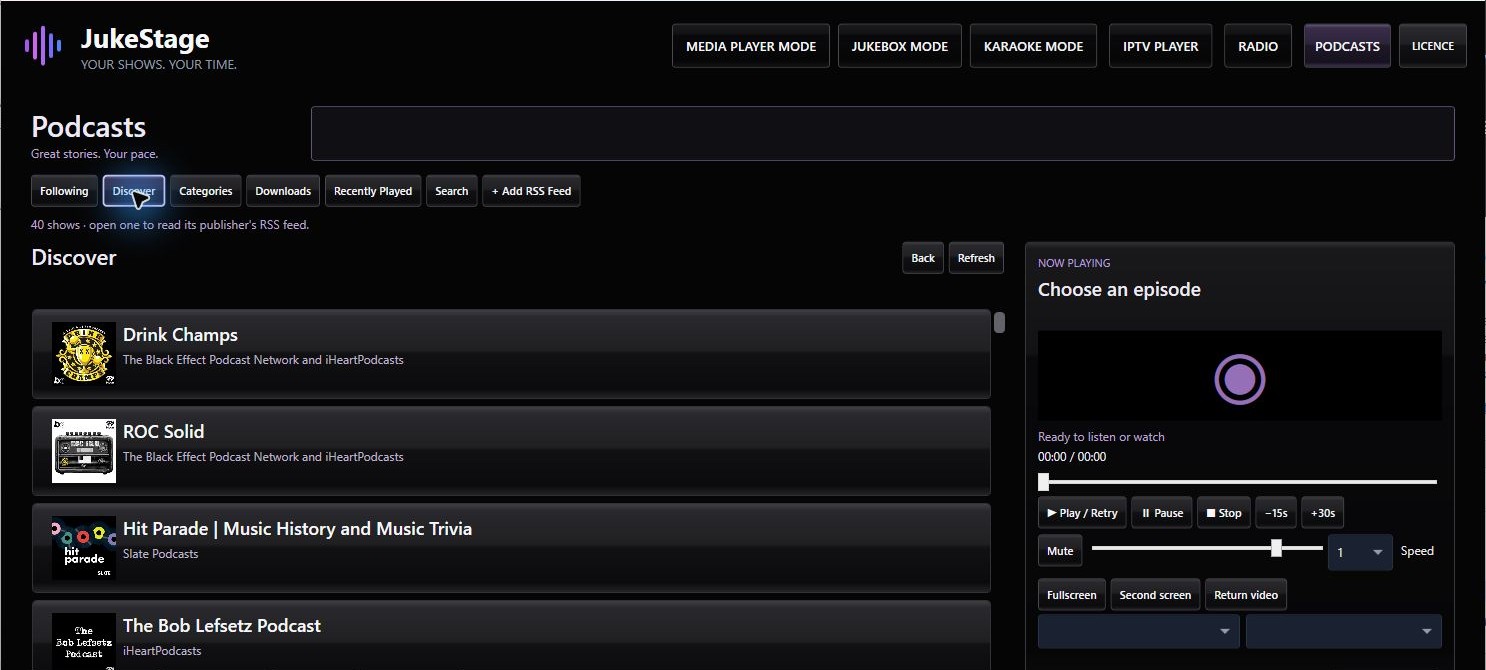
Discover shows, follow publisher feeds and enjoy audio or video episodes. Resume where you left off or download for later.
Designed for a bigger experience
Keep Karaoke controls on your main screen while lyrics appear on a TV or projector. With IPTV, browse on your computer while the selected stream plays on your second display.
Only one screen? IPTV’s fullscreen mode puts the picture centre stage, with controls that disappear when you don’t need them.
Display workflow illustration. IPTV keeps the same playback session between views.
Actual IPTV interface shown without a connected catalogue. Content depends on your source.
Your channels. Your choice.
Use Provider Login with an Xtream-compatible service, or open an M3U/M3U8 file or HTTP/HTTPS playlist URL.
JukeStage is a player, not a television service. Supply your own legitimate service or playlist. No subscriptions, credentials, channel lists or streams are provided. Programme guides support compatible Provider Login and XMLTV sources where data is supplied. Recording and catch-up are not included.
Take the stage
Bring your MP3 + CDG collection and run the evening from one clear host desk. Search songs, add requests and keep the singer rotation moving.
Key and tempo adjust the backing track. Microphone monitoring requires suitable input/output hardware; use headphones when setting it up to avoid feedback.
One collection. Three personalities.
Browse songs and albums, build a queue and save it as a named playlist. Switch the atmosphere without changing your music.
Warm diner character, chrome arches and a bold red-and-gold light show.
After-dark cyan and pink, record browsing and beat-driven lighting.
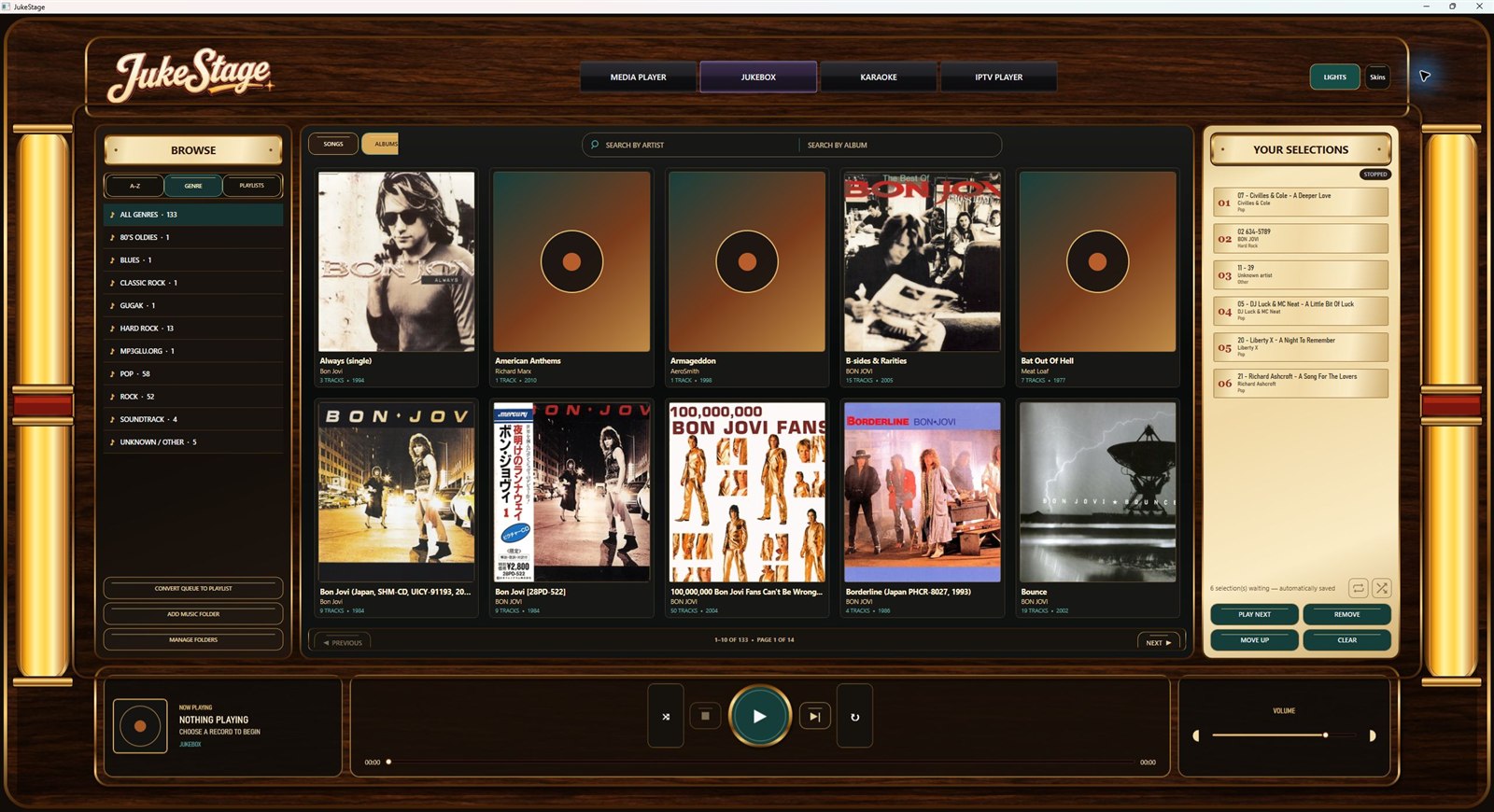
Wood, brass and warm glowing tubes. A quieter, classic personality.
Enjoy the collection you already own.
Build the soundtrack to your evening.
Different looks, one familiar collection.
Add atmosphere—or keep it understated.
Press play. Settle in.
Browse local music and videos in a modern thumbnail library. Search by title, artist or album, add favourites to the queue and let your collection take centre stage.
Fullscreen video keeps the picture clear and the controls out of the way until you move the mouse or interact.
No streaming-service subscription is included. Supported playback depends on the media file and its encoding.
New · Your stations. Your sound.
Browse UK stations, explore genres and countries, or search for a familiar name. Favourites, recently played and your own station URLs keep the music close.
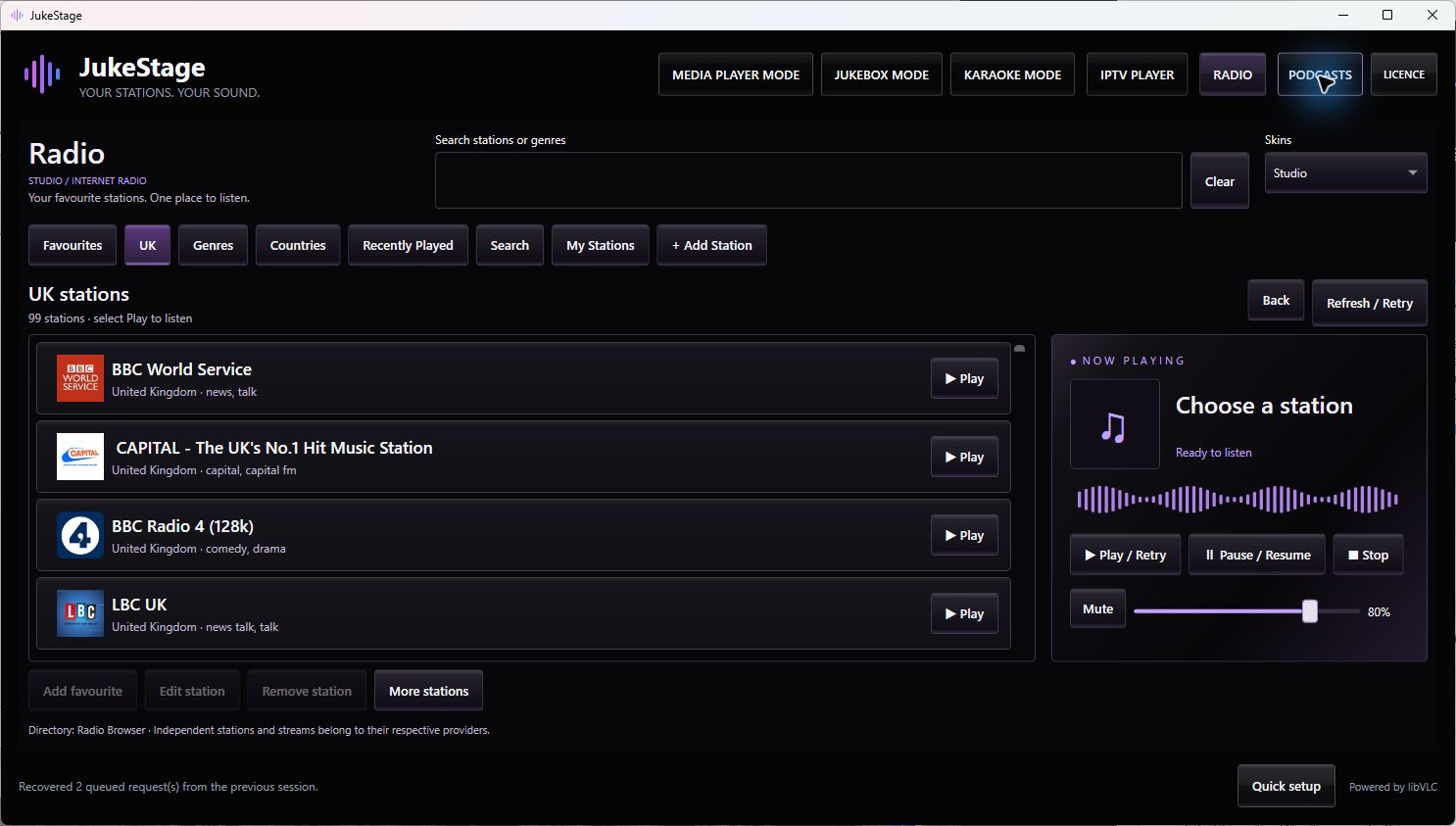
Clean studio styling for everyday listening.
A cassette-inspired finish with warm highlights.
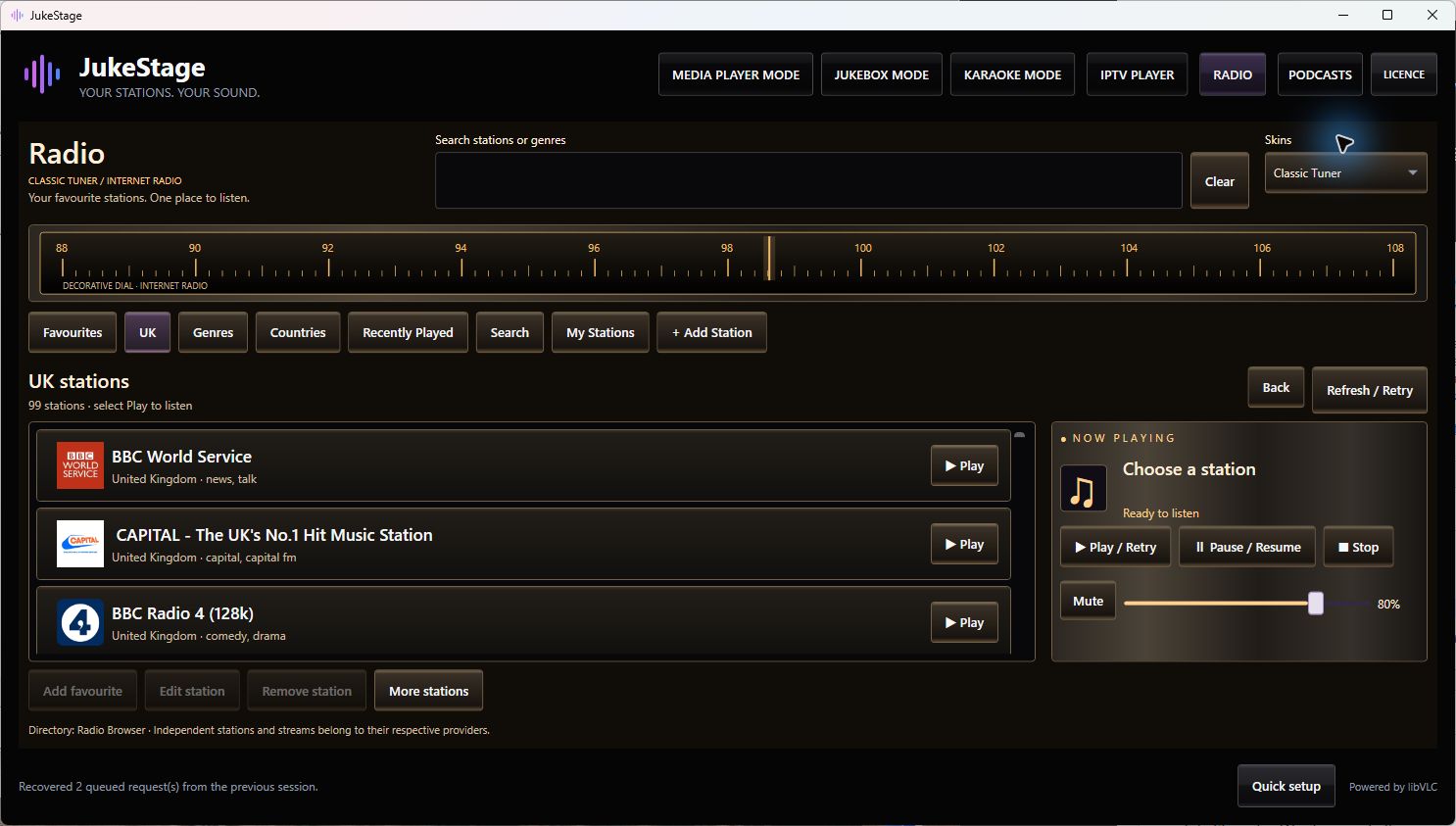
Vintage receiver character, modern internet radio.
Three included looks, one radio player. Station information depends on the stream. Decorative cassette and tuner artwork does not add recording or FM tuning. Stations remain independent; availability can change.
New · Your shows. Your time.
Discover podcasts through Apple’s public search or add a publisher’s RSS feed. Follow shows, browse episodes and keep audio and video together in one place.
Episodes come from their publishers. Downloads require an accessible media enclosure and permission to use it; streaming manifests and restricted services are not guaranteed downloadable. JukeStage does not host or sell podcast content.
Actual version 1.2.0 discovery screen, cropped to the browsing and playback area. Shows shown are illustrative results, not bundled content.
Make room for better evenings
Try the full application for five days. When you’re ready, purchase a licence, receive your licence key and activate JukeStage on your chosen Windows or Android device.
The first year of email support is included. Further support is optional at £9.99 per year; your paid app does not expire when support ends.
Windows or Android
£19.99 one-off · one device
Already own JukeStage? Add another device for £9.99.
Secure card checkout through SumUp. Windows 1.2.0 · Android RC3. Windows installer unsigned.
A few useful answers
No. You supply your own music, videos and karaoke files. IPTV needs a compatible service or playlist you are authorised to use. JukeStage does not sell or recommend IPTV subscriptions.
Windows: Windows 10 or later, 64-bit. Android tablets: Android 8.0 or later; try the release candidate on your device. Internet access is required for trial registration and paid activation; IPTV, internet radio and podcast discovery/streaming also need a suitable network connection. Downloaded podcast episodes can be played offline. Try your own files and devices during the five-day trial before buying.
Download and install JukeStage, then register the full five-day trial in the application. A purchase is separate; starting the trial does not automatically charge you.
No. The following second-screen features refer to the Windows edition. Use JukeStage on one screen, including fullscreen IPTV. A second monitor, television or projector is optional for Karaoke audience output and IPTV presentation.
Xtream-compatible Provider Login using a server/portal URL, username and password; local M3U/M3U8 files; and HTTP/HTTPS playlist URLs. Features and catalogue artwork depend on your provider. Programme guides support compatible Provider Login and XMLTV sources where data is supplied. Recording and catch-up are not included.
One £19.99 licence activates one Windows OR Android device, not both at once. Eligible existing owners can buy an additional device licence for £9.99. Enter your emailed code in JukeStage’s Licence screen. Contact support for help moving a licence; existing transfer limits apply.
Radio and Podcasts join Media Player, Jukebox, Karaoke and IPTV. Radio includes Studio, Tape Deck and Classic Tuner skins. Podcasts supports publisher RSS feeds, audio/video episodes, resume, playback speed and supported offline downloads.
Radio discovery uses Radio Browser; podcast discovery uses Apple’s public search, with episodes supplied by their publishers through RSS feeds. You can also add a compatible station URL or RSS feed. Availability, rights and any access restrictions belong to the broadcaster or publisher. Listing a show or station does not imply endorsement or affiliation.
The current installer is not digitally signed. Download only from jukestage.co.uk. Keep Windows security enabled: if Smart App Control or your organisation blocks installation, follow the installation help or contact support rather than disabling protection.
Your next great evening starts here
JukeStage by Centre One Software Ltd · Support when you need it.