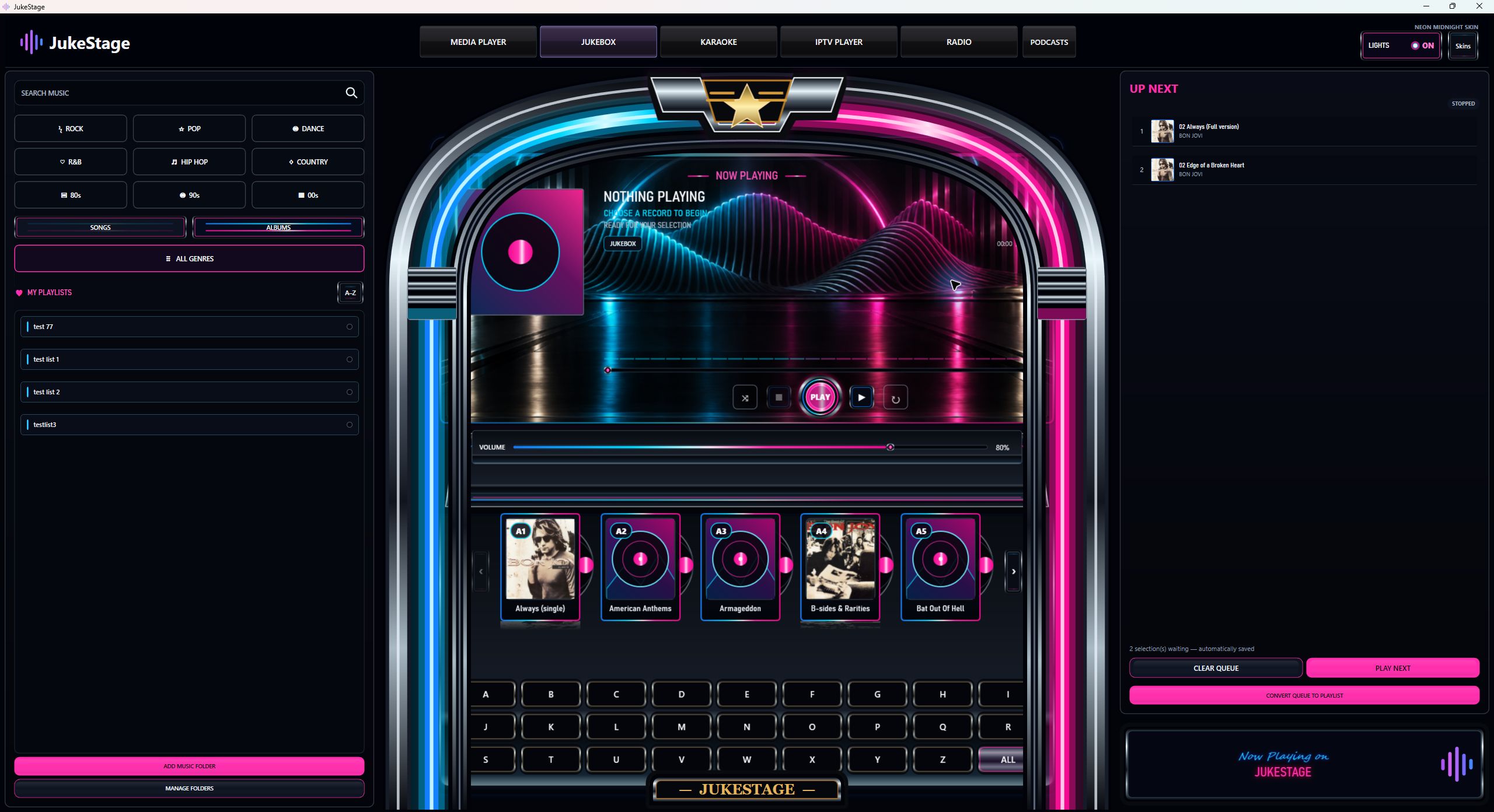
Description
Six ways to enjoy your media
JukeStage brings Media Player, Jukebox, Karaoke, IPTV, Radio and Podcasts together. Pay once: £19.99 for one Windows OR Android device, not both at once, with no mandatory subscription.
Choose Windows 1.2.0 or Android tablet RC3 and try the full five-day trial before buying. Android RC3 is an early release candidate, tested on Samsung Galaxy Tab S6; try it on your own device first.
- Browse your own music and videos with artwork and search.
- Build a jukebox queue and save playlists.
- Play your own supported karaoke files.
- Connect compatible, authorised IPTV using Provider Login or M3U/M3U8, with Live TV, Movies and Series.
- Discover internet radio and save favourites.
- Find podcasts, follow feeds, resume episodes and download supported episodes for offline listening.
Layouts and device features differ between editions. The Windows edition includes its three jukebox skins, microphone Sound Studio and external-display workflows; these desktop capabilities are not promised for Android. Website screenshots are labelled where they show Windows.
Your licence
A perpetual licence for one Windows or Android device. Includes the first year of email support from support@jukestage.co.uk. Optional further support is £9.99 per year; your app licence does not expire when support ends. Eligible owners can buy an additional-device licence for £9.99. Each paid seat allows up to four device transfers; deactivate on the old device before moving, or contact support if that device is unavailable.
Before you buy
Windows 10 or later, 64-bit; or an Android tablet running Android 8.0 or later. Use the five-day trial to check your files and hardware. Bring your own legally obtained media and authorised IPTV service or playlists: no songs, karaoke catalogue, TV channels or streaming subscriptions are included. iPhone, iPad and Mac versions are not included. The Windows installer is unsigned; the Android APK is signed by JukeStage. See the download page for installation guidance.
Create or sign in to your JukeStage customer account at checkout. Once payment has been verified, your activation code is emailed to you with the download-page link. Install the edition for your device and choose Activate purchase to enter the code.
Reviews
There are no reviews yet.