Less clutter.
More collection.
Add folders, browse songs and albums, and keep playlists close. Compact controls and artwork leave room for the library. The layout adapts to phones and tablets.
JUKESTAGE FOR ANDROID
Music, video, radio, podcasts—and a good book. Made for phones and tablets, with room for your own media.
Five-day trial, then an optional one-time Google Play unlock. Check the current price in the app before purchase.
Android 7.1 or later; Google Play determines availability for your device. Internet is required to confirm access.
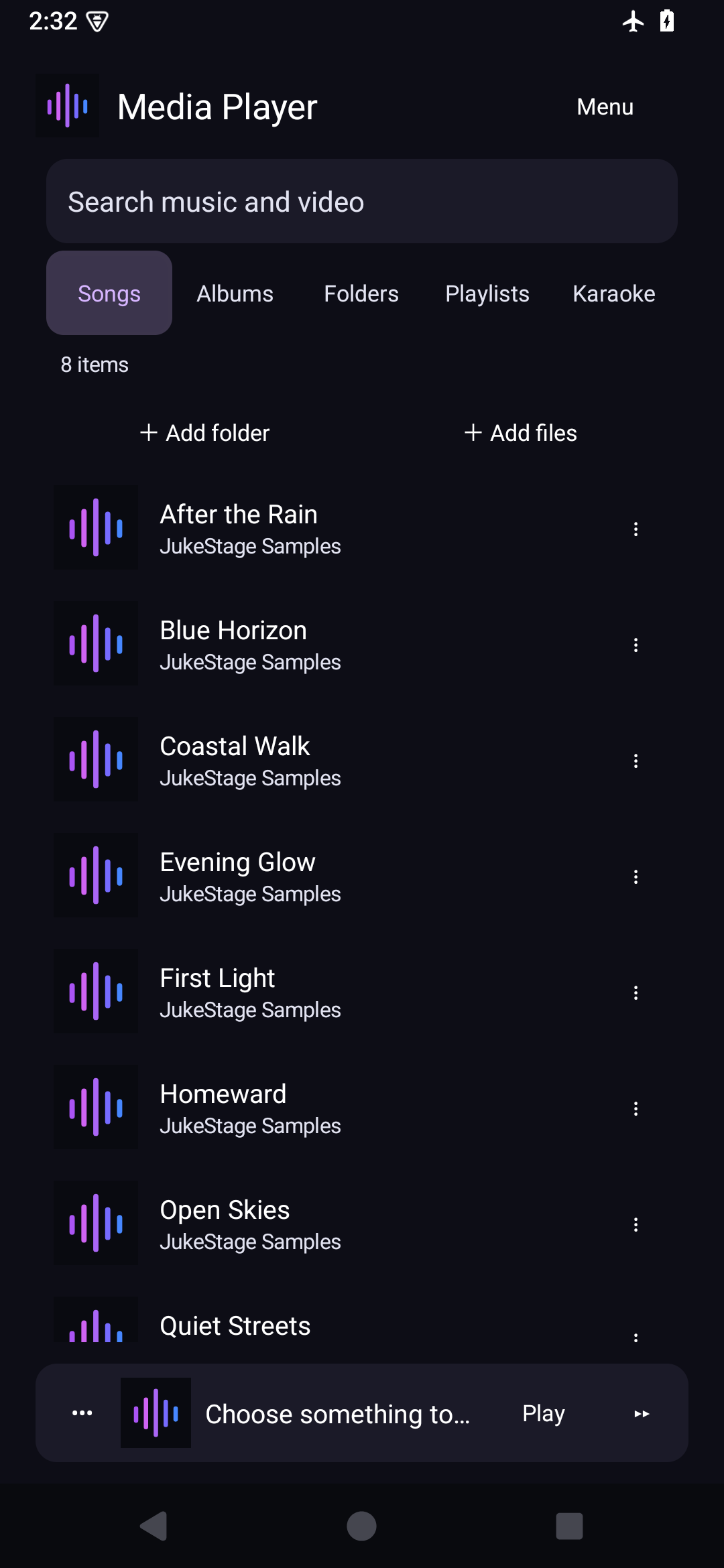
Add folders, browse songs and albums, and keep playlists close. Compact controls and artwork leave room for the library. The layout adapts to phones and tablets.
Background audio lets a song continue while you use another app. Android power settings and device restrictions can affect background operation.
Open Karaoke within Media Player for compatible karaoke videos and paired MP3/CDG files. Desktop Sound Studio and audience-display tools are not part of this mobile offer.
ANDROID MEDIA PLAYER WITH EPUB READER
Import text-based EPUB and UTF-8 TXT books. Choose your reading theme and font size, browse chapters and return to your saved reading position.
Books replaces the jukebox section on Android. Original files remain unchanged. PDF, MOBI and fixed-layout/rich illustrated-book rendering are not currently supported.
Connect your compatible provider service to browse its live channels, films and episodes. Categories and searching help you find something without scrolling through every page. You supply the service and permission to access it; JukeStage supplies playback.
Availability depends on the source, format, network and device. No premium channels or provider subscription are bundled.
Browse radio, discover podcast shows and follow what interests you. Sources come from independent stations and publishers and may include their own advertising or access restrictions.
To restore, use the Google account that made the purchase and choose Restore purchases. Verified paid users enter the app automatically after the access check. Internet is required to confirm trial or paid access.
That code activates the website APK, not the Google Play edition. Keep the existing app and follow our existing-customer instructions. Purchases and saved data do not automatically transfer between editions.