JUKESTAGE FOR WINDOWS · VERSION 1.2.0
A proper home
for your collection.
Media player. Jukebox. Karaoke host.
Make your PC the centre of the room.
Windows 10 or later · 64-bit · Five-day trial
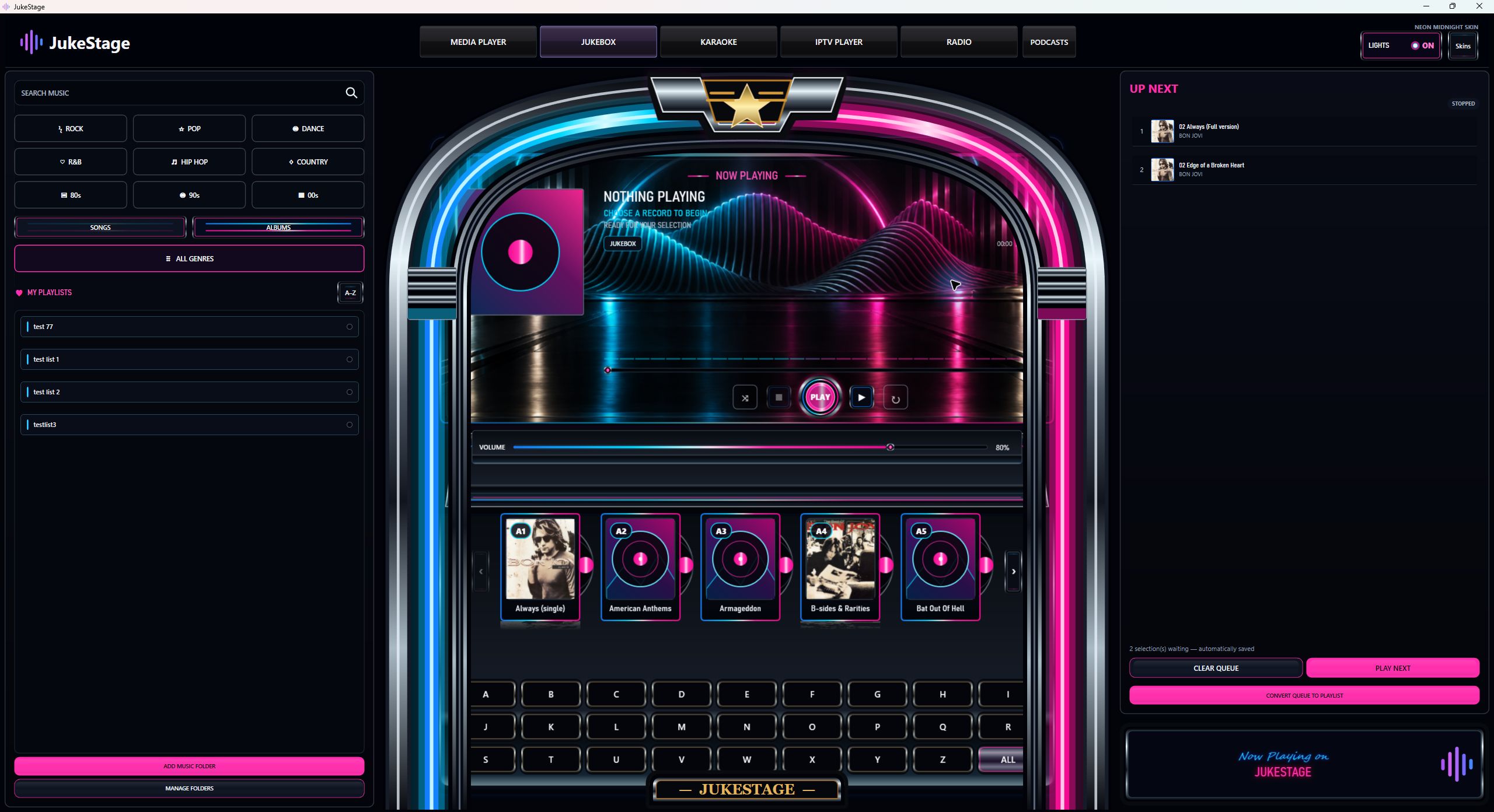
Your library, without changing your files.
Browse music and video, search titles and artists, build playlists and manage the playback queue. Local artwork helps you find familiar albums. Fullscreen playback gives your video room to breathe. Library scanning reads your media; it does not rename, move or retag it.
JUKEBOX SOFTWARE FOR WINDOWS
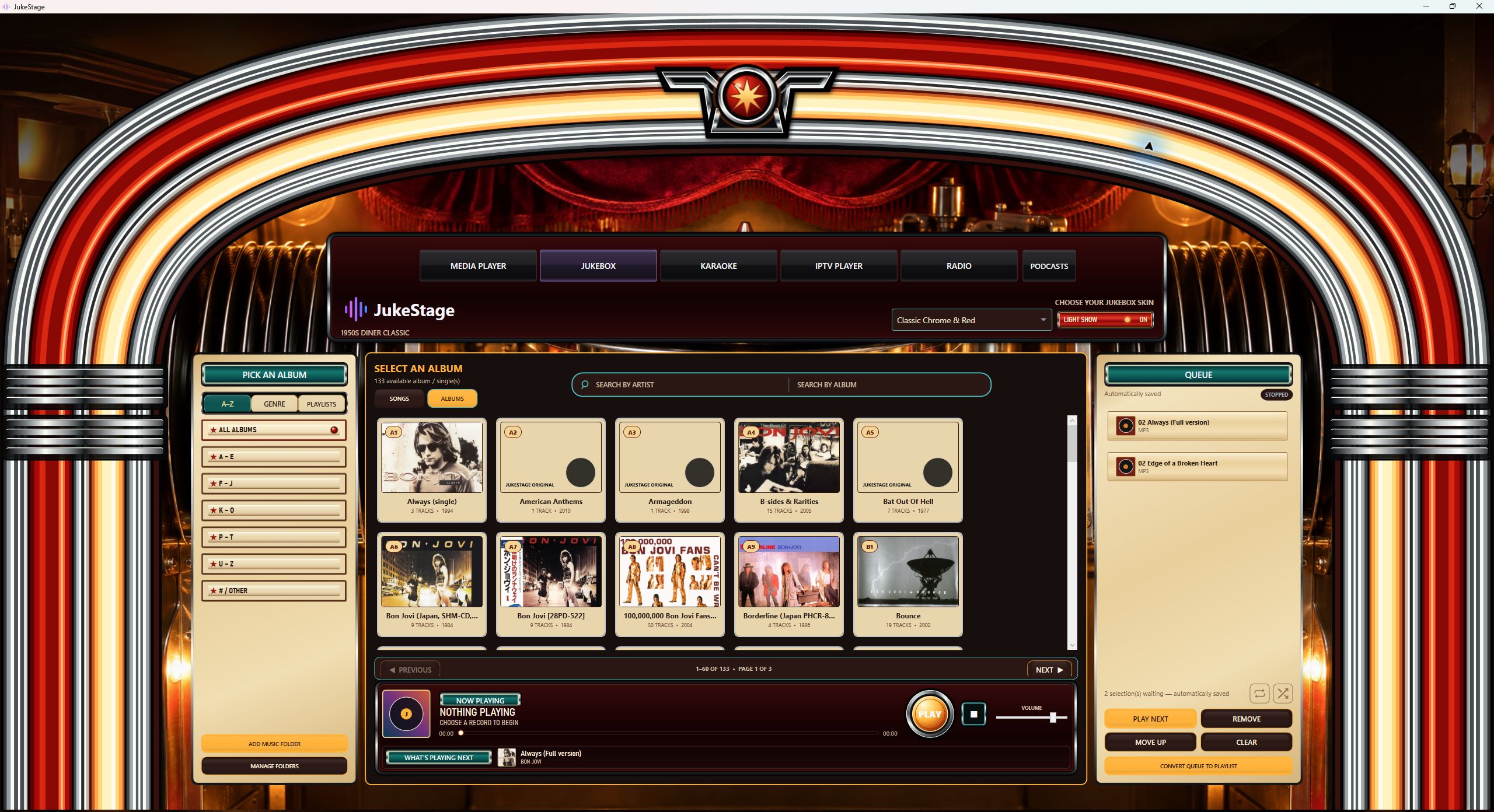
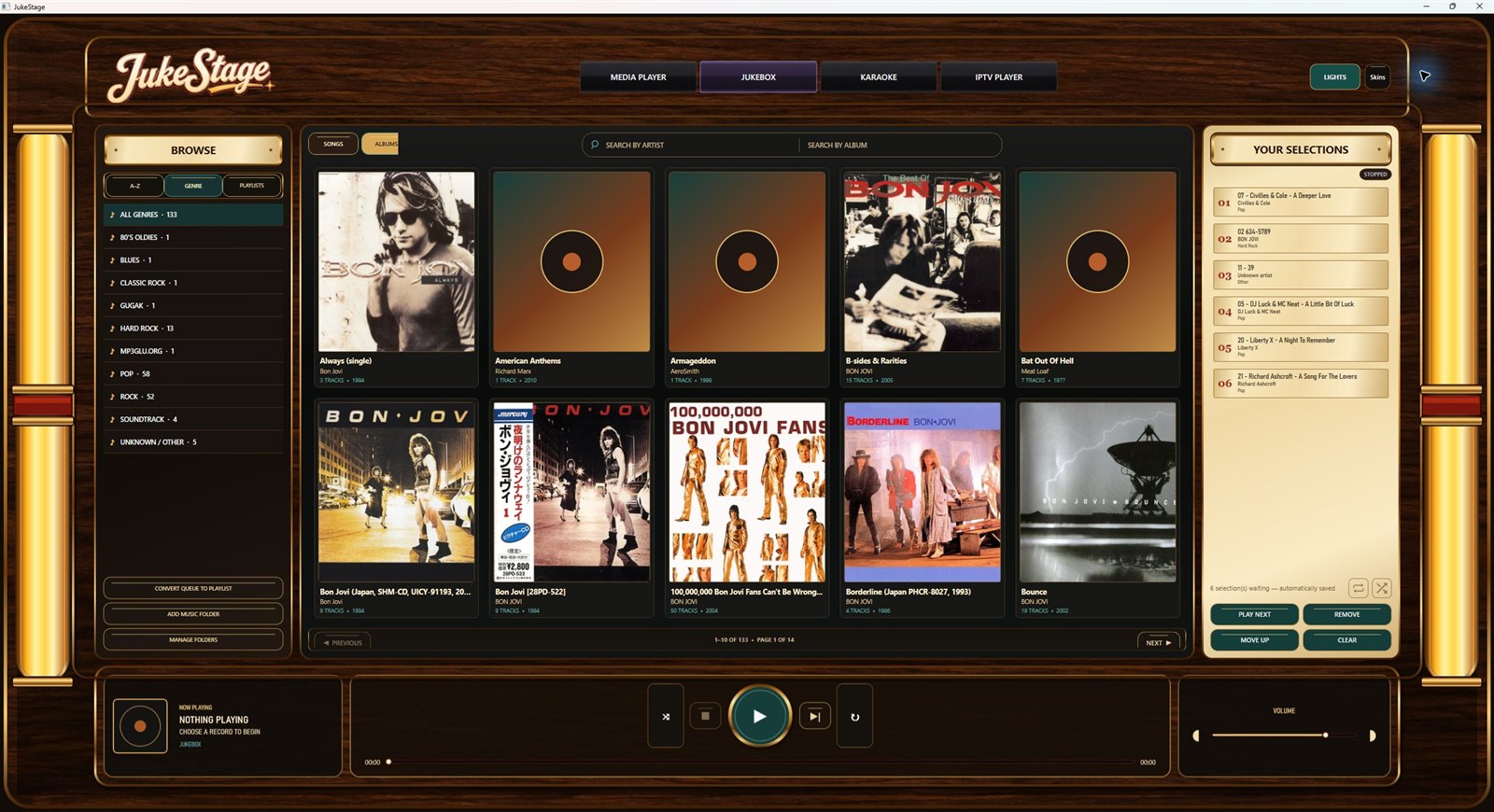
Three looks. Your music throughout.
Classic Chrome & Red, Neon Midnight and Walnut & Brass are included.
Browse songs or albums, narrow the library by artist or title, and add selections to the queue. Save playlists for another evening. Changing the skin does not replace your library.
KARAOKE SOFTWARE FOR WINDOWS
You host.
They take the stage.
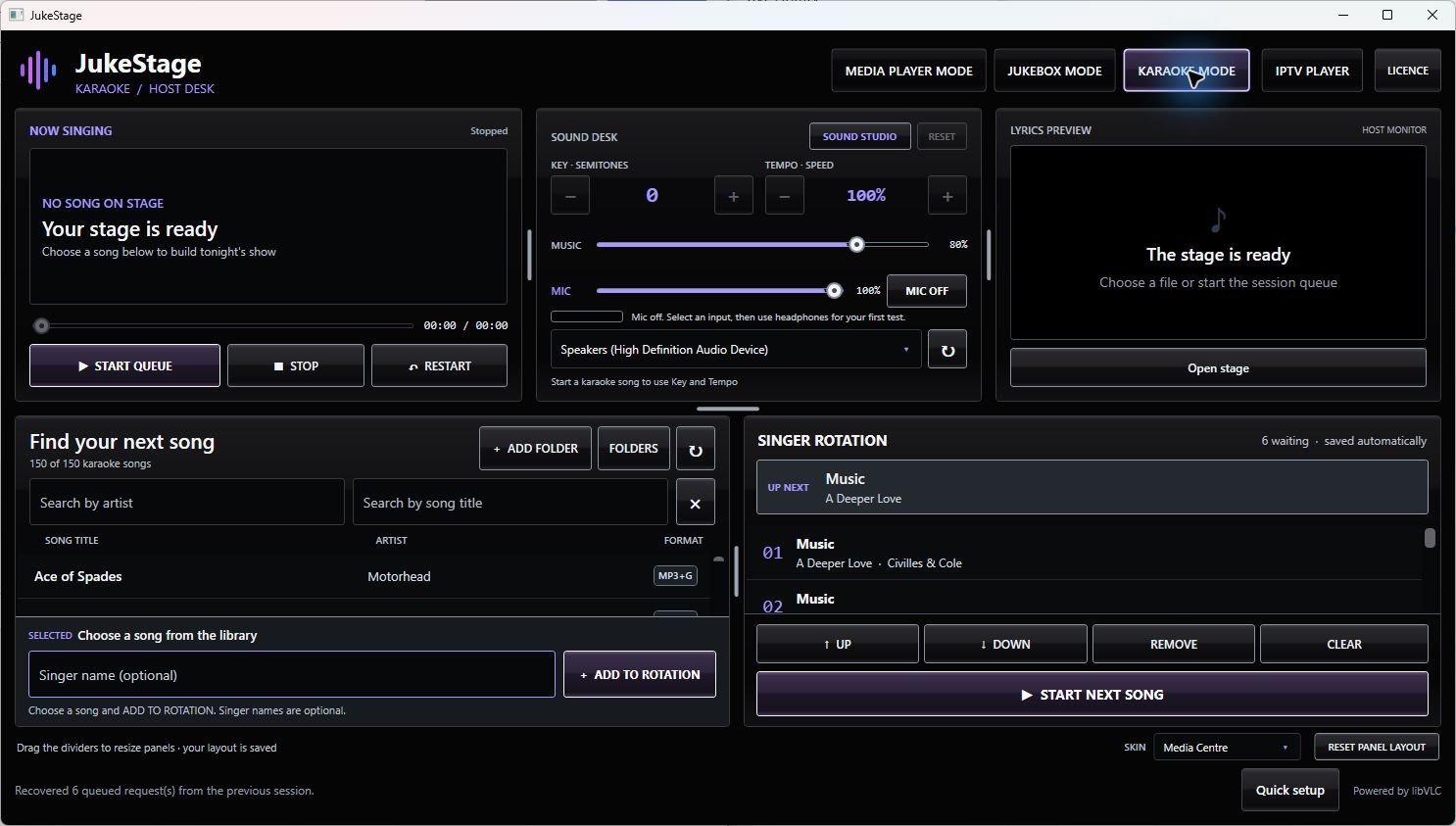
Play your MP3+CDG pairs and karaoke videos. Add requests, manage singer rotation and use a separate audience display while keeping the host controls on your computer.
Sound Studio provides separate music and microphone levels, EQ and microphone effects including echo, reverb, compression and a noise gate. Backing-track key and tempo controls are separate from the live microphone.
Requires appropriate audio hardware. Microphone monitoring is explicitly enabled by you. Driver latency and routing vary; this is not an ASIO or multichannel mixer replacement. These desktop tools are not promised on Android or Vega.
Keep exploring.
StreamStage / IPTV
Play compatible sources from a service you are authorised to use. The Windows interface may label this section IPTV Player. A JukeStage licence does not supply channels or a provider subscription.
Radio and Podcasts
Browse stations, save favourites, discover shows and follow feeds. Windows includes Studio, Tape Deck and Classic Tuner radio skins, plus podcast resume, speed and supported episode downloads.
Install, try, then decide.
- Download the Windows installer and close any running JukeStage window.
- Install, open the app and explicitly start your five-day trial, or activate your existing website licence.
- Try your own files and equipment. Buy a website licence if it is right for you.
Internet is needed for trial registration, activation and online services. The current installer is unsigned: keep Windows security enabled and consult the installation help if it is blocked.
Updating on your licensed computer does not require another purchase. Install over the existing application; media, settings and licence are stored separately from the program.